 ☰
☰How to Query and Change Device Input Source via OMS API
Audience: Third-party platform integrators / developers
Objective: Remotely query and set input source on Optoma-managed devices via OMS API.
Scope: Query current input source -> Change input source.
Prerequisites
· OMS Account & API Key (OMS Portal → System Settings → API).
· Target Device(s) already paired to your OMS tenant.
· Base URL: Your OMS API gateway base (e.g., https://oms-apiservice.optoma.com/)
· Auth: API key via header x-api-key: <your_key>.
· DeviceId: Device UUID used in path: {deviceId}.
· Mocking (optional): Use x-mock: true to validate request/response without touching real devices.
High-level Flow
Get current input source (optional but recommended)
Set target input source (for example HDMI1).
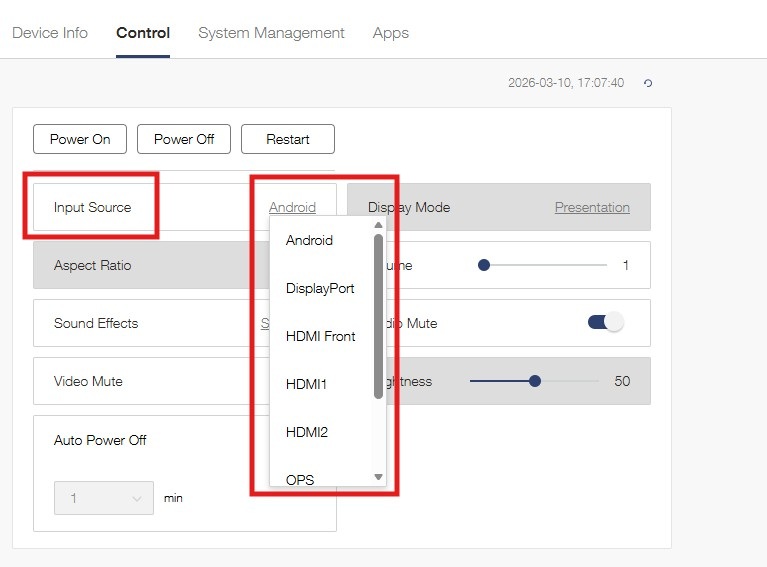
Recommended: get available input source list from OMSC device UI (different device models have different lists).
API Details & Examples
Summary
Recommended Integration Notes
Read before write: call GET first to confirm current status and reduce unnecessary commands.
Validate target source: use supported values for the target model to avoid 422 errors.
Handle busy device: if 409 is returned, retry with backoff.
Mock first: use x-mock:true during development and contract testing.